Ask Your Data.
See the Evidence.
Your archive · Public records · Source citations
NDepth turns questions about your subsurface data into findings you can check. Search across your Crawler archive, bring available NDEX public records into the analysis, and follow answers back to the original pages. Explore the results through maps, tables, and depth-based views.
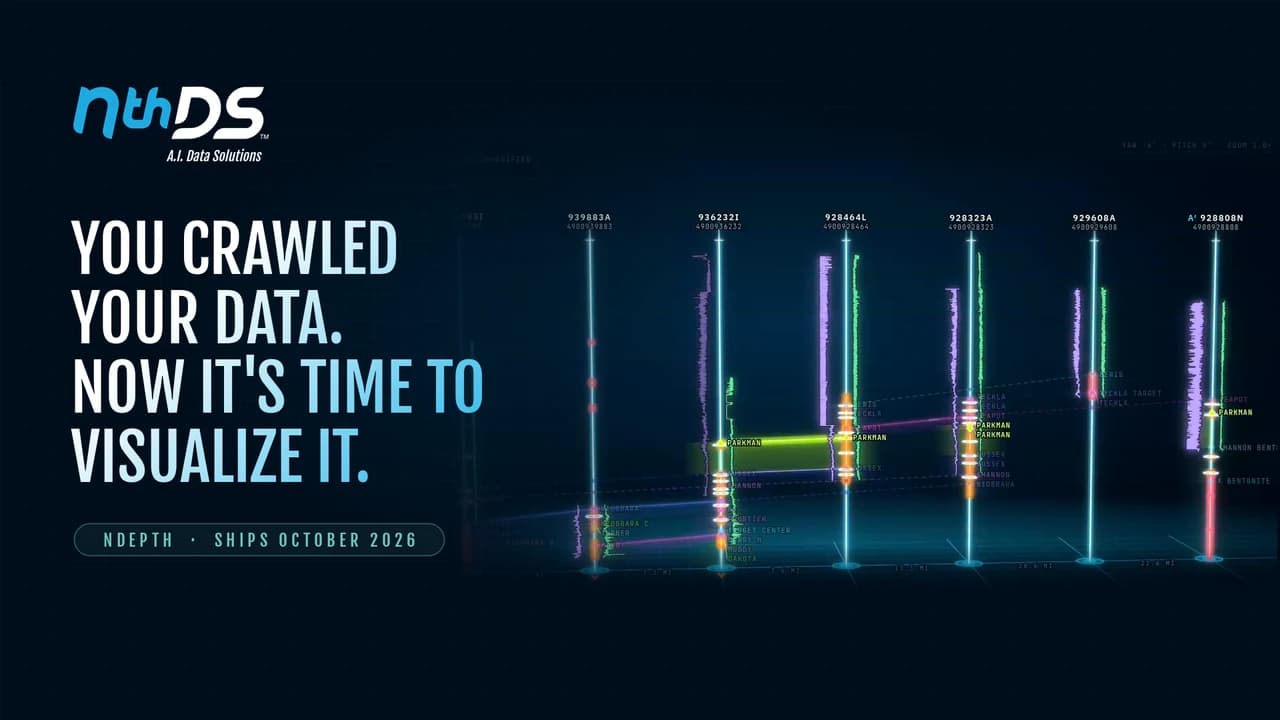
From One Well to a Regional Question.
Start with the records you already have, then widen the search with available public coverage. Keep source evidence in view as you investigate.
Search Your Technical Records
Ask across the reports, logs, tables, and other records organized by Crawler. Find evidence without opening every file.
Compare Across Wells
Bring available NDEX public records beside your own documents for regional questions and cross-well screening. Regional exploration depends on catalog coverage.
One workflow, three connected products
Crawler organizes the archive. NDEX brings public well records alongside it. NDepth answers questions over the available data, with citations that take you back to the evidence.
Choose. Ask. Verify.
A question is the starting point. The source evidence stays within reach.
Choose your scope
Start with your Crawler library or a selection of documents. Include available NDEX public records when you need a wider view.
Ask in plain English
Find formation mentions, compare well evidence, or investigate temperature and hydrocarbon indicators without searching every file by hand.
Follow the evidence
Review cited source pages, explore the findings in data views and on the map, and see exactly what was searched.
Built for Evidence-Based Review
Answers you can check
Follow page citations back to the original record. Keep the evidence beside the interpretation as you evaluate a finding.
Findings in context
Move between maps, findings tables, depth tracks, and charts to understand where a result occurs and how wells compare.
Clear search boundaries
Answers state the workspace and documents searched, whether NDEX contributed, and whether the search reached a limit.
Available findings depend on your archive, catalog coverage, and search scope.
Frequently Asked Questions
What is NDepth?
NDepth is NthDS's AI search and analysis platform. It answers plain-English questions over your Crawler library, cites the original source pages, and presents findings through data views and maps.
How is NDepth different from Crawler?
Crawler classifies, extracts, organizes, searches, and maps your documents and data. NDepth adds AI answers and analysis over that information, with citations and a stated search scope.
Can NDepth include NDEX public records?
Available NDEX public catalog records can be searched alongside your own documents. Each answer states whether the catalog contributed and what was searched. Coverage varies by region.
Can I verify an AI answer?
NDepth links findings to source pages and states the documents and workspace searched, whether public catalog records contributed, and whether any search limit was reached. Review the underlying evidence before acting on a result.
Does NDepth support cross-well screening?
Regional exploration supports map-aware findings and cross-well screening where catalog coverage is available. Contact NthDS to review the regions and workflows relevant to your team.
Ready to Try NDepth?
Bring a question your team spends too long answering. See how NDepth connects your archive, public records, and source evidence in one analysis workflow.