Well Log Digitization
Software
Raster & TIFF to LAS · NeuraLog Alternative
Nspect is well log digitization software that converts raster and TIFF well logs into structured LAS with automated trace extraction, rigorous QC, and industry-standard export — a modern NeuraLog alternative for teams that need production throughput, not desktop bottlenecks.
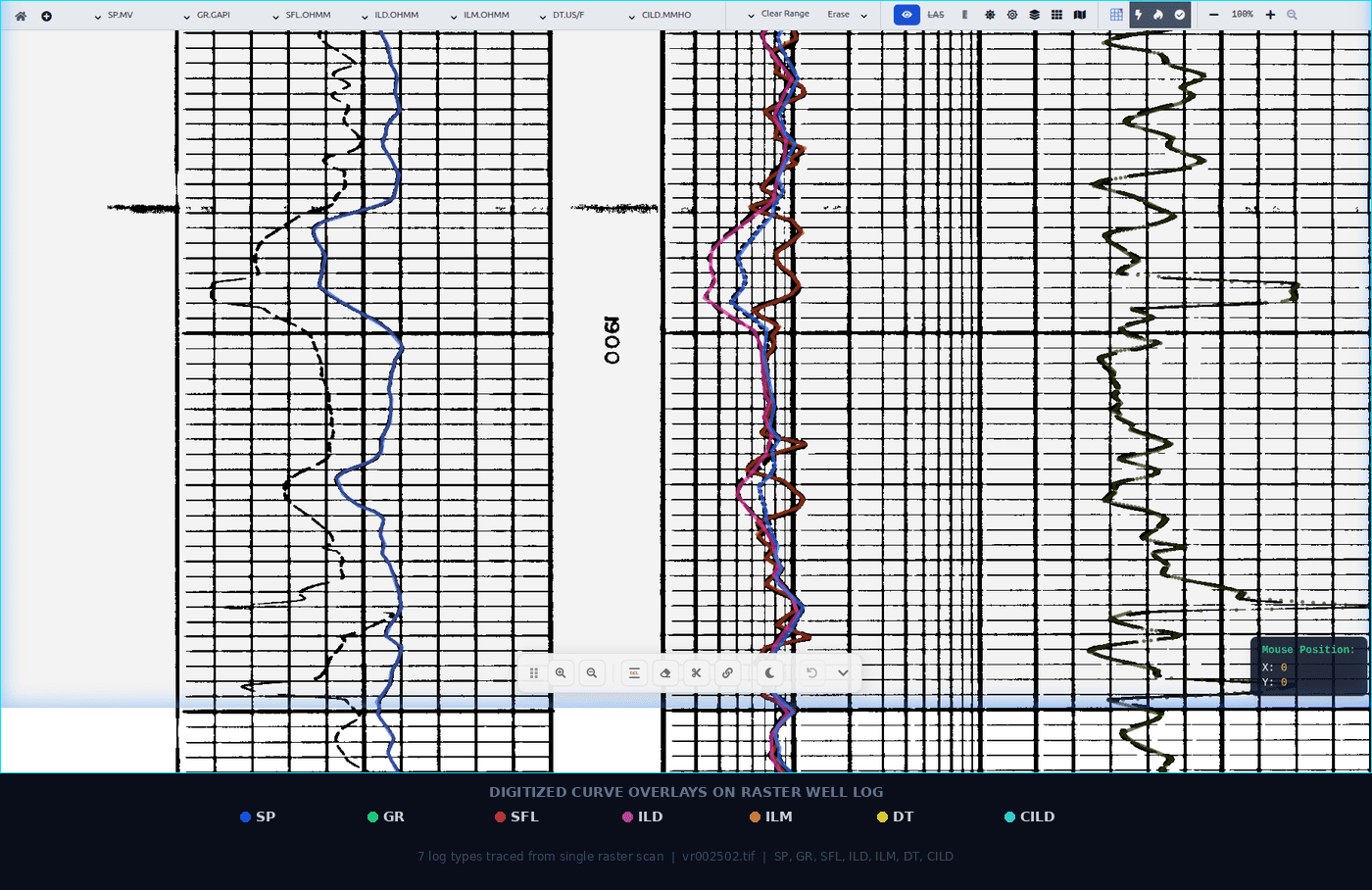
The 480x figure is from our February 20, 2026 benchmark for automated extraction compared with manual tracing. It excludes human QC and corrections; total delivery time varies by log and review scope. This is a benchmark result, not a turnaround guarantee.
From Scanned Image to Structured Data
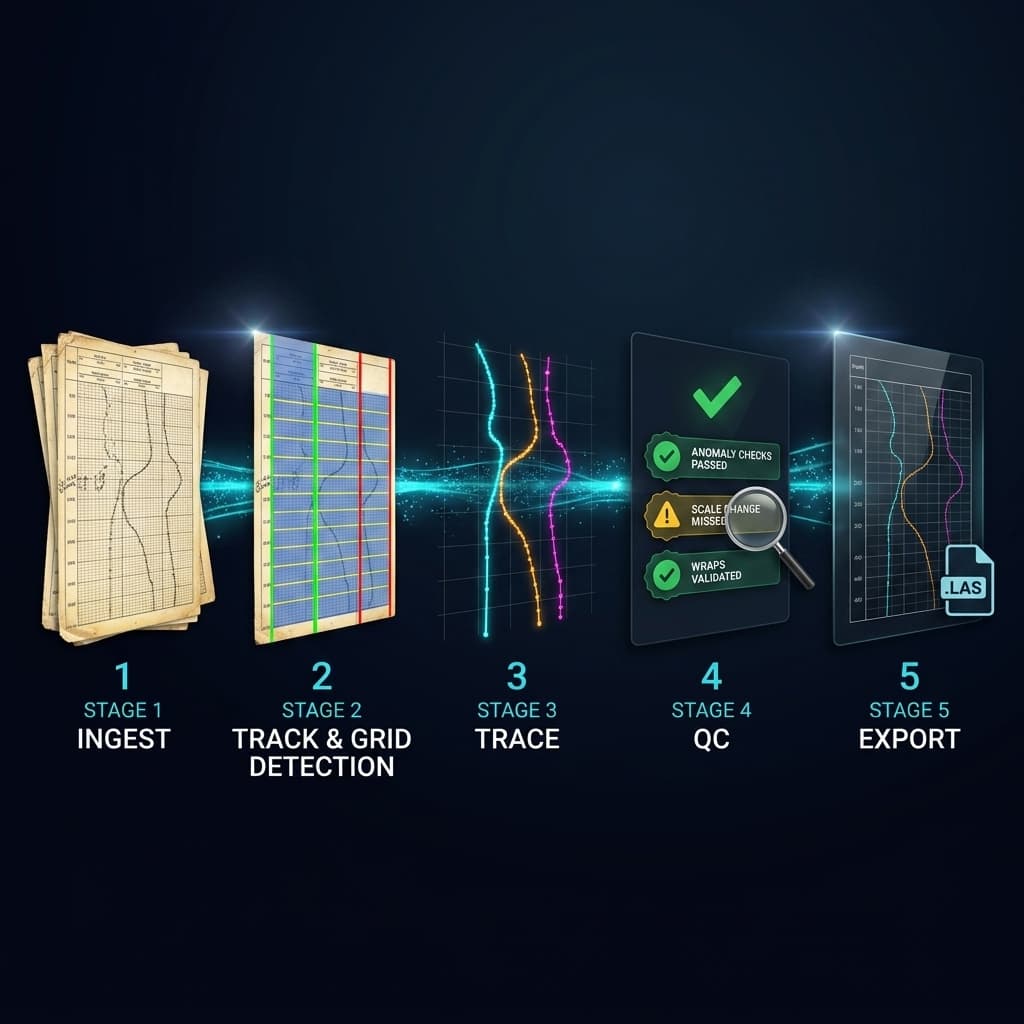
Nspect processes your well logs through a five-stage pipeline. AI handles the heavy lifting - your team handles the QC.
Precision Curve Tracing
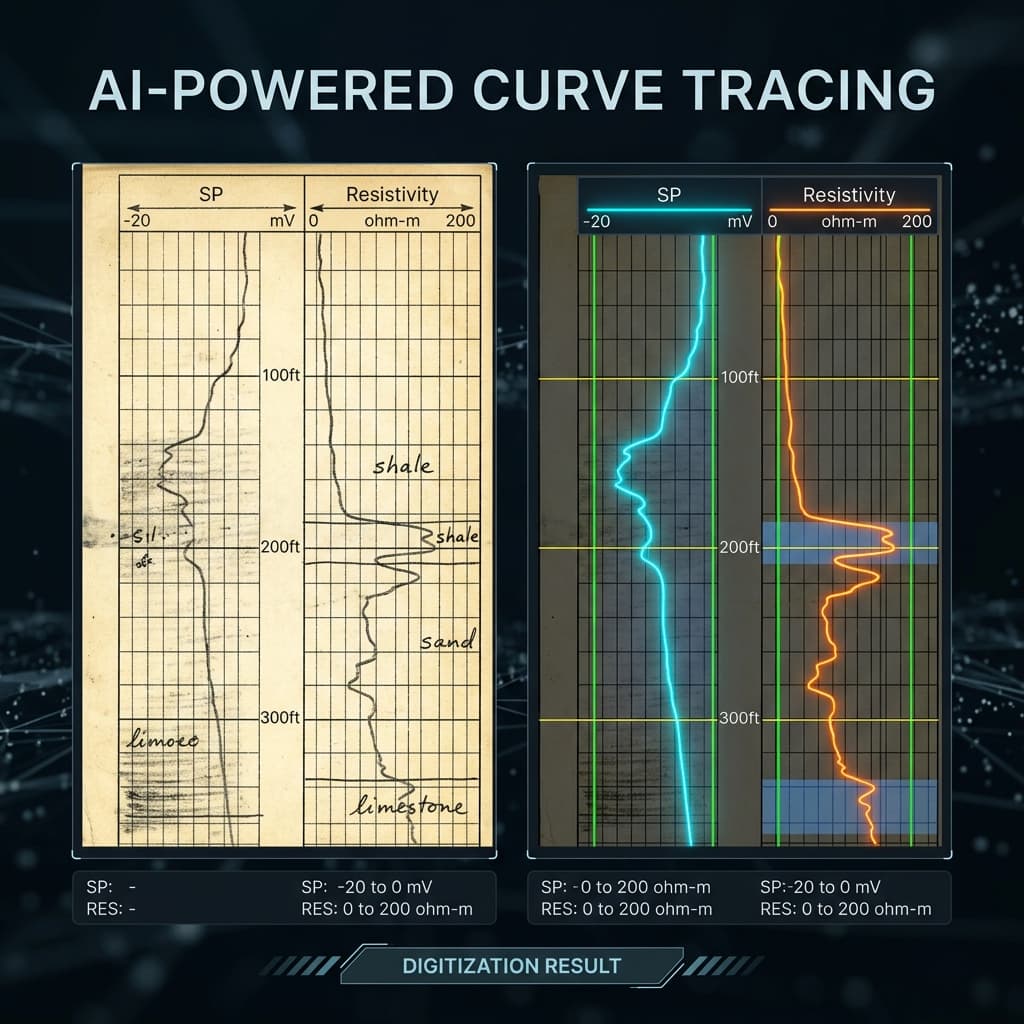
Nspect extracts curve traces from raster images for review against the original. Accuracy varies with scan quality and layout, as described in our February 20, 2026 benchmark. Use side-by-side QC to inspect overlapping traces, scale wraps, and degraded sections before you approve the LAS export.
Built for Production Digitization
Automated Trace Extraction
AI-powered curve tracing converts raster log images into digital data points. Review extracted curves against the source image and correct scale, wrap, and overlap issues before export.
Quality Control Workflows
Built-in QC pipeline validates extracted traces against expected ranges. Flag anomalies, review side-by-side with the source image, and approve with audit trails.
Interactive Scale Editor
Define track boundaries, set depth ranges, and calibrate scales directly on the log image. Precision tools for handles, grids, and curve alignment.
LAS & CSV Export
Export digitized data in industry-standard LAS 2.0 format or CSV. Ready for import into Petrel, Kingdom, Techlog, or any interpretation software.
Multi-Project Management
Organize wells by project, assign team members, track digitization progress with status dashboards, and manage deliverables at scale.
Team Collaboration
Multiple users can work on the same project simultaneously. Role-based access controls, vendor assignment tracking, and complete audit trails keep everything organized.
Industry-Standard Formats
Digitized data exports directly into the formats your interpretation software expects. No conversion. No middleware. No surprises.
LAS 2.0
Industry-standard well log format. Compatible with Petrel, Kingdom, Techlog, and all major interpretation platforms.
CSV
Universal tabular format for data analysis, custom processing, and import into spreadsheets or databases.
Batch Export
Export entire projects at once. Hundreds of wells packaged with proper headers, metadata, and QC status.
Deployment & Access Requirements
Discuss cloud or on-premise deployment with the team. Review your network restrictions, authentication, data retention, and processing requirements during technical scoping.
Frequently Asked Questions
What is NthDS Nspect?
Nspect is an AI-powered platform that digitizes raster well log images (TIFFs, PDFs, scanned documents) into structured digital data in industry-standard LAS format. It features automated trace extraction, quality control workflows, and multi-project management for processing thousands of wells at scale.
What file formats does Nspect support?
Nspect ingests TIFF, PDF, JPEG, and PNG raster log images and exports digitized data in LAS 2.0 and CSV formats, ready for import into Petrel, Kingdom, Techlog, or any interpretation software.
How accurate is the AI trace extraction?
Accuracy depends on scan quality and layout. Our February 20, 2026 benchmark reports different results for clean and degraded scans; it is not a guarantee for every log. Compare extracted traces with the source image and correct exceptions in the QC workflow before export.
Can Nspect be deployed on-premise?
Discuss on-premise deployment with the team. Technical scoping covers your archive, network restrictions, authentication, data handling, and review requirements before a deployment is agreed.
How fast is Nspect compared to manual digitization?
Our February 20, 2026 benchmark reported a 480x speedup for automated extraction compared with manual tracing. This describes extraction time, not total delivery time including human QC, corrections, and export. Turnaround depends on scan quality, curve complexity, and review scope; it is not an SLA.
Start Digitizing Today
Bring a sample log to a demo. Review the extracted curves against your source image and discuss the QC and delivery scope for your archive.